Mid-Year Business Upgrade – Save Up to 30% Off
FaceAzure Online

Delete Employee

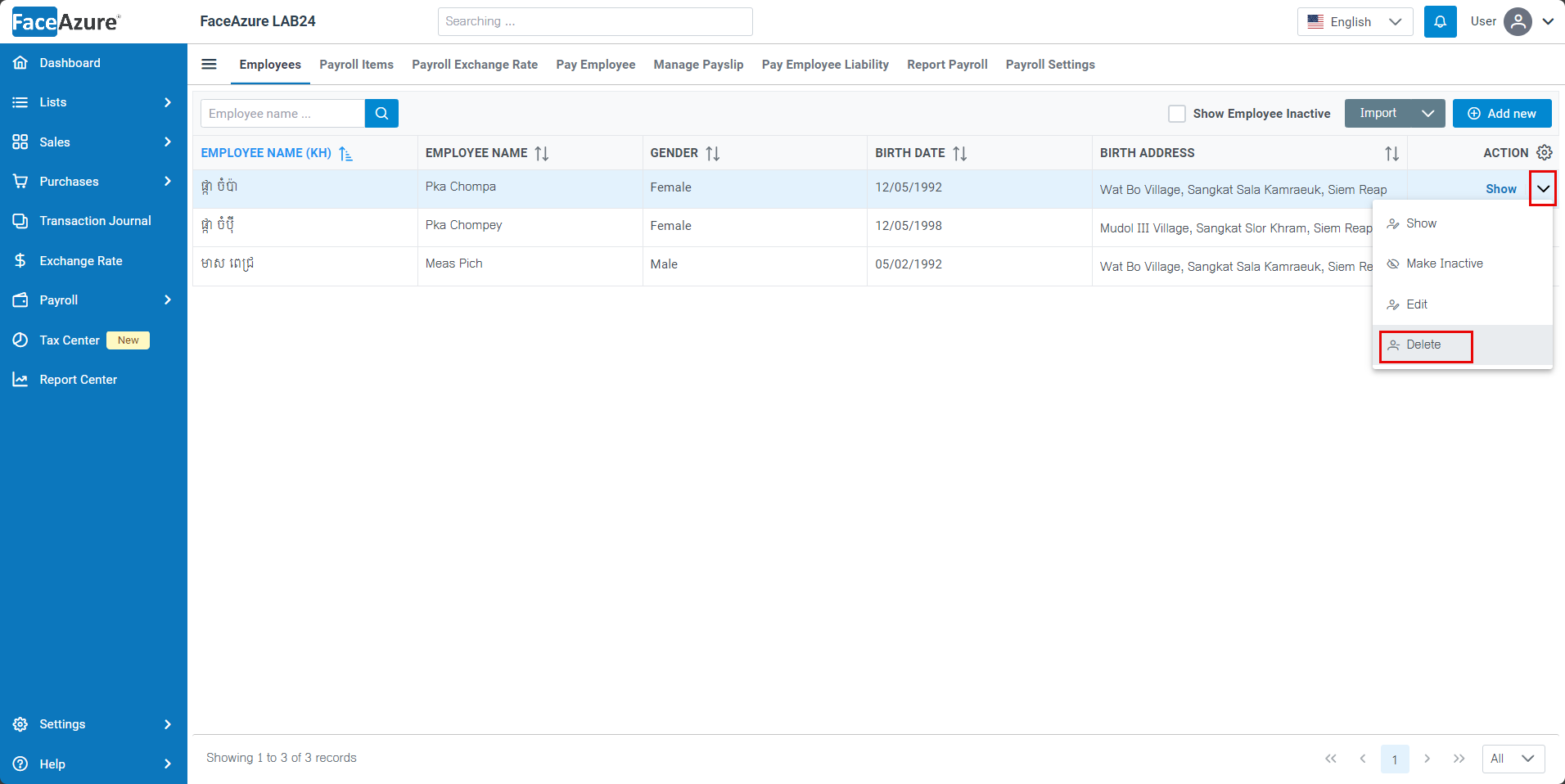
  1. Click the arrow down icon next to Show, and choose Delete.
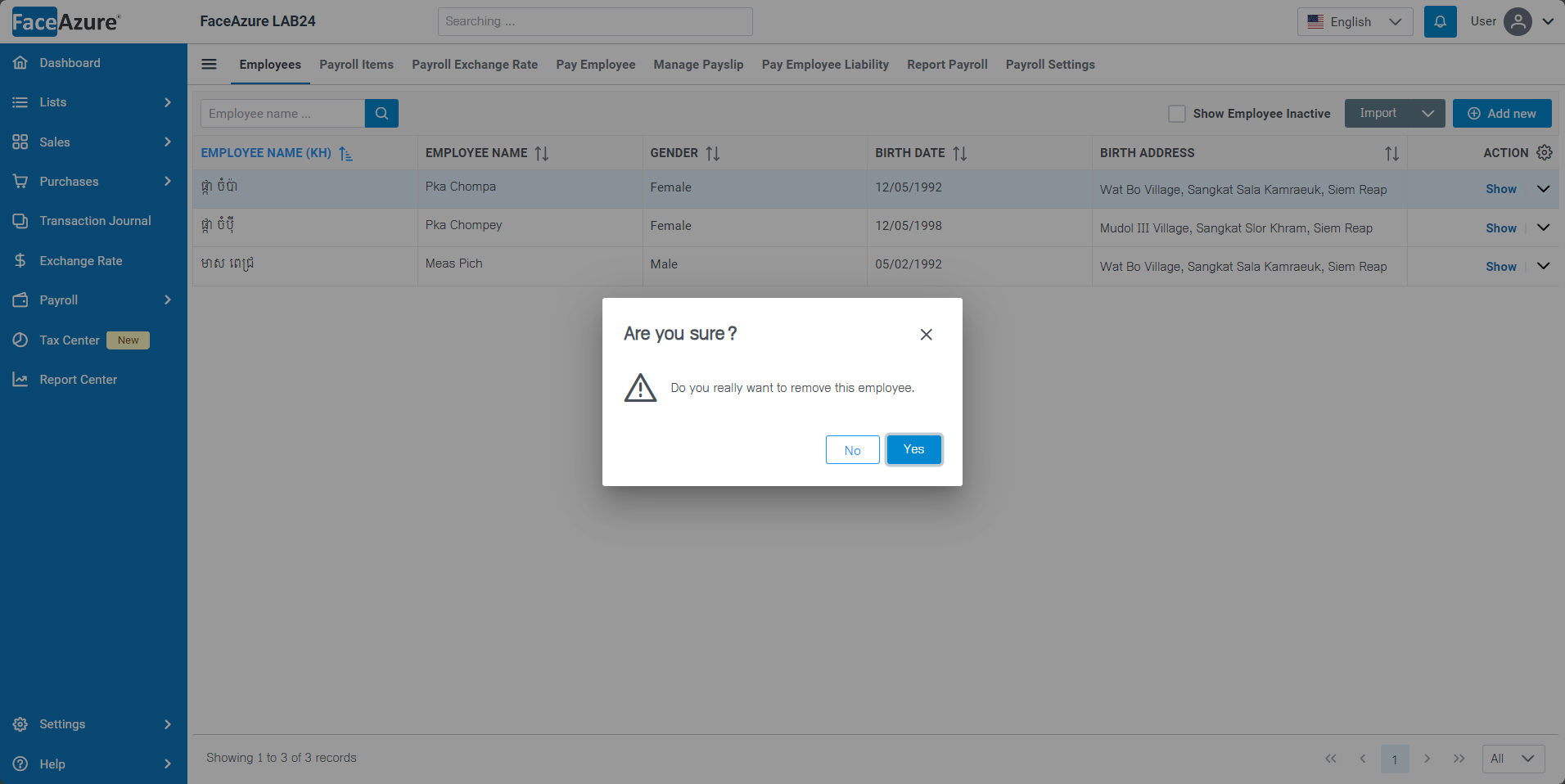
  1. Click Yes to confirm delete

Note:

Employees who have already set up payroll items are not allowed to delete them.